
This page is for informational purposes only. It is not medical advice. Talk to your doctor before making health decisions for yourself or a loved one.
Apple Watch vs. Life Alert: Which Protects Your Parent Better?
Life Alert is the brand everyone has heard of. Apple Watch is what your parent may already wear. Here is an honest look at which actually fits your family's situation.
Last reviewed: May 2026
Bottom line up front: Apple Watch wins on cost, GPS, and automatic fall detection. Life Alert wins on zero-tech operation and 24/7 trained operators. Read on for the full breakdown.
Head-to-head comparison
| Feature | Apple Watch Series 10 | Life Alert |
|---|---|---|
| Monthly cost | $0 (GPS) or $10/mo (cellular) | $49.95/mo |
| Device / setup cost | $399-$499 | $198 activation fee |
| Contract | None | 3-year contract required |
| Auto fall detection | Yes | No (button press only) |
| GPS | Yes, built in | Mobile add-on only (extra cost) |
| Requires iPhone? | Yes (GPS model) | No |
| 24/7 monitoring center | No (calls 911 directly) | Yes |
| Base unit needs landline? | No | Yes (standard system) |
| 3-year total cost | $399 (GPS model) | $1,995+ |
The case for Apple Watch
Apple Watch detects falls automatically. Life Alert does not. That single fact is the biggest practical difference. If your parent falls and is unconscious or disoriented, Apple Watch can call 911 without any button press. Life Alert cannot.
Apple Watch also has GPS built in. Life Alert's standard home system has none. If your parent wanders or falls outside, Apple Watch shows their exact location. Life Alert's home button is useless away from the house without the mobile add-on.
And over three years, Apple Watch at $399 is $1,596 cheaper than Life Alert at $1,995. That gap is hard to justify unless your parent truly cannot use a smartphone at all.
The case for Life Alert
Life Alert is for seniors who will not, or cannot, use a smartphone. The device is simple: one button. No charging a smartwatch every night. No keeping an iPhone nearby. No Apple ID or setup.
The monitoring center operator is a real person. They speak directly to your parent, assess what happened, and decide the right response. For a scared 85-year-old on the bathroom floor, talking to a calm human is sometimes better than staring at a countdown on a watch screen.
Life Alert has been operating for decades. Their brand recognition alone sometimes convinces hesitant parents to actually wear the device. That is worth something.
Who should choose what
Choose Apple Watch if:
- Your parent already uses an iPhone
- They are comfortable with tech
- They can charge a device nightly
- You want GPS and auto fall detection
- Budget matters over three years
Choose Life Alert if:
- Your parent does not use a smartphone
- They want to press one button, nothing else
- They are home-based and rarely travel
- They value the human monitoring operator
- Tech setup creates too much friction
The contract problem with Life Alert
Life Alert requires a 3-year contract. If your parent moves to assisted living, passes away, or no longer needs the service, you may still owe months of payments. This is one of the most common complaints in consumer reviews.
Apple Watch has no contract. Bay Alarm Medical and Medical Guardian both offer month-to-month plans. If the 24/7 monitoring matters to you, those are worth comparing before committing to Life Alert.
Frequently asked questions
Does Life Alert have automatic fall detection?
No. Life Alert uses button-press activation only. Your parent must press the button to call for help. Apple Watch detects falls automatically without any button press.
Is Life Alert worth $49.95 per month?
For seniors who need zero-tech operation and have no smartphone, yes. The operator is trained, the system is proven, and there is no learning curve. But at $1,995 over three years vs. $399 for an Apple Watch, the price difference is hard to ignore if your parent uses an iPhone.
Does Life Alert have GPS?
The standard Life Alert home system does not include GPS. Their mobile button add-on has GPS, but it costs extra and is a separate device your parent must carry.
Can I cancel Life Alert without paying a penalty?
Life Alert requires a 3-year contract. Canceling early triggers a penalty fee. Apple Watch has no contract. Bay Alarm Medical and Medical Guardian both offer month-to-month plans.
Which has better coverage in rural areas: Apple Watch or Life Alert?
Life Alert's mobile button uses AT&T. Apple Watch cellular uses whatever your carrier covers. In rural areas with spotty AT&T coverage, a Bay Alarm or Medical Guardian plan on a different network may serve better than either.

What you can buy today
If the Apple Watch side is the one that fits, these are the current models. The Life Alert side is a subscription sold direct.
We may earn a commission if you buy through links on this page, at no extra cost to you. It never changes what we recommend. This is general information, not medical advice.

Apple Watch Series 11 (GPS, 46mm)
Fall detection, needs an iPhone
Calls emergency services after a hard fall if you do not respond. Needs a paired iPhone in range for calls.
Check price on Amazon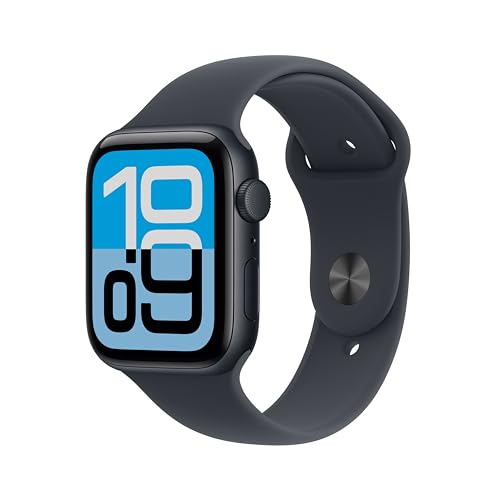
Apple Watch SE 3 (GPS, 44mm)
Fall detection, needs an iPhone
The cheaper Apple Watch with the same fall detection. Still needs a paired iPhone.
Check price on Amazon
These are supplies, not the job itself. Amazon does not sell the labour, the permit or the inspection.