
This page is for informational purposes only. It is not medical advice. Talk to your doctor before making health decisions for yourself or a loved one.
How Apple Watch Fall Detection Works: Complete Guide
Apple Watch can detect when you fall and call 911 on its own. Here is how the system works, which watches have it, and what it cannot do.
Last reviewed: May 2026
The part most people miss: detecting a fall is not the same as calling for help
Apple's own words: to contact emergency services, the watch or a nearby iPhone "needs a cellular connection or Wi-Fi calling with an internet connection."
A GPS-only Apple Watch has no cellular radio of its own. It borrows the phone's. So if your mother falls in the garden while her iPhone is charging in the kitchen, the watch detects the fall, shows the countdown, and then cannot place the call.
This is the single most common misunderstanding about using an Apple Watch as a medical alert, and it decides whether the watch is right for your situation at all.
- A cellular model can call emergency services on its own, anywhere it has signal, with no phone involved. It costs more up front and adds a line to your carrier plan. For someone who is often alone, that is the version worth buying.
- A GPS-only model is fine for someone whose phone is genuinely always on them, and for crash detection in a car where the phone usually is. It is a poor fit for gardening, showering, or anyone who leaves the phone on a charger.
- Nobody should rely on it alone if they live by themselves and a delay of hours would be dangerous. Fall detection triggers on a sharp impact, so it catches most falls from standing and misses slow slides out of a chair. A dedicated medical alert with a 24/7 monitoring centre answers even when the wearer cannot.
How it works
The watch uses its accelerometer and gyroscope together. When you fall, those sensors pick up a sharp downward movement followed by impact. After the impact, the watch checks whether your wrist moves again in the next few seconds.
If you move your wrist, tap the screen, or press the Digital Crown, the watch assumes you are okay and cancels the alert. If you do not respond, a 60-second countdown starts. A loud alarm plays. At the end of that countdown, the watch calls 911 and sends a message to your emergency contacts with your GPS location.
The watch needs to be worn snugly. A loose watch may not detect the fall at all. Apple recommends it fit just tight enough that it does not slide around your wrist.
Which Apple Watch models have fall detection
| Model | Fall detection | Price (new) |
|---|---|---|
| Series 1, 2, 3 | No | Discontinued |
| Series 4, 5, 6 | Yes | Discontinued (used only) |
| SE 2nd gen | Yes | $249 |
| Series 9 | Yes | $399 |
| Series 10 | Yes (recommended) | $399 |
| Ultra 2 | Yes | $799 |
Note: Fall detection requires watchOS 8 or later. All models listed above support watchOS 8+.
How to turn it on
- 1.Open the Watch app on your iPhone (not on the watch itself).
- 2.Tap Emergency SOS in the list.
- 3.Toggle Fall Detection to on. It turns green.
- 4.Add emergency contacts in the iPhone Health app under Medical ID so the watch knows who to text after a fall.
One catch: Apple automatically disables fall detection for users who enter their age as under 55. If the Apple ID shows a younger age, the toggle may be grayed out. You can still force it on by going to the Watch app, Emergency SOS, and tapping Fall Detection even if it warns about age.
How well it works
Apple Watch reliably detects hard falls where your body weight goes down quickly and the wrist impacts a surface. A trip on stairs. A slip in the kitchen. A stumble off a curb. Those all register well.
It struggles with slow-motion falls where someone slides down a wall or collapses gradually. It also struggles when the person falls but immediately grabs something and stays somewhat upright.
Series 9 and Series 10 use the same updated fall detection algorithm from 2023. It is better at telling the difference between a hard workout movement and a real fall. Earlier models (Series 4 through 8) have more false alarms during vigorous exercise.
Limitations to know
- XRequires an iPhone (6s or later) to call 911 unless you have the cellular Apple Watch model.
- XBattery lasts 18 hours (standard) or 36 hours (low power mode). It must be charged daily, which means the window off the charger is a gap in protection.
- XNo 24/7 monitoring center. The watch calls 911 directly. There is no trained operator who can assess the situation and decide the right response.
- XDoes not work if the person is unconscious and their arm does not move after the fall (very rare but possible).
- XFalse alarms during vigorous sports, especially with older models.
Apple Watch vs. dedicated medical alert
Apple Watch makes sense for seniors who already use an iPhone and want health tracking plus fall detection in one device. The cost is lower long-term. No monthly fee unless you add cellular.
A dedicated medical alert system makes more sense if your parent does not use a smartphone, needs 24/7 professional monitoring, or cannot reliably charge a device every night. See our full comparison at the link below.
Frequently asked questions
Which Apple Watch models have fall detection?
All Apple Watch models from Series 4 onward have fall detection. That includes Series 4 through 11, the SE (2nd and 3rd generation), and the Ultra, Ultra 2 and Ultra 3. The original Series 1, 2, and 3 do not have it.
Does Apple Watch fall detection call 911 automatically?
Yes, if it detects a hard fall and you do not respond within about 60 seconds, it calls 911 and sends your location to your emergency contacts. You can cancel the call if you are fine.
How accurate is Apple Watch fall detection?
Apple does not publish official accuracy numbers. Independent tests show it catches most hard falls, like tripping or falling from a standing position. It misses softer falls and falls where the wrist does not move sharply downward.
Does Apple Watch fall detection work without a phone nearby?
The cellular Apple Watch models (Series 10 cellular at $499+) can call 911 without an iPhone nearby. GPS-only models need the iPhone within Bluetooth range or on the same WiFi network to place the call.
Does fall detection work while sleeping?
Yes, fall detection stays active whenever the watch is worn, including overnight. If you fall getting up in the night, it will still trigger.

What you can buy today
Series 10 has been replaced. These are the current Apple Watch models with the same fall detection.
We may earn a commission if you buy through links on this page, at no extra cost to you. It never changes what we recommend. This is general information, not medical advice.

Apple Watch Series 11 (GPS, 46mm)
Fall detection, needs an iPhone
Calls emergency services after a hard fall if you do not respond. Needs a paired iPhone in range for calls.
Check price on Amazon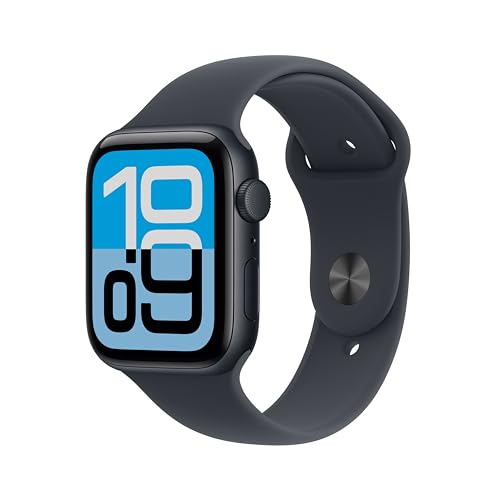
Apple Watch SE 3 (GPS, 44mm)
Fall detection, needs an iPhone
The cheaper Apple Watch with the same fall detection. Still needs a paired iPhone.
Check price on Amazon
These are supplies, not the job itself. Amazon does not sell the labour, the permit or the inspection.