
Apple Watch Fall Detection for Seniors, Setup Guide & Honest Review
April 16, 2026 · 8 min read
Apple Watch has built-in fall detection. It is free. It works without a monthly fee. And it looks like a normal watch, so seniors actually wear it. But there are real limitations you need to know before buying one for a parent. If you already know you want one, see which Apple Watch to buy for a senior.
How It Works
Apple Watch uses an accelerometer and gyroscope to detect hard falls. When it detects a fall, three things happen:
- Alert on screen. The watch taps the wrist and shows a message asking if you fell.
- 60-second countdown. If you do not respond (you may be unconscious), it starts a countdown.
- Calls 911. After 60 seconds with no response, it calls emergency services and sends your location. It also texts your emergency contacts.
For users 55 and older, fall detection turns on automatically. For younger users, you must enable it in the Watch settings.
Which Apple Watch to Buy
| Model | Price | Fall Detection | Cellular |
|---|---|---|---|
| Apple Watch SE (GPS + Cellular) | $299 | Yes | Yes |
| Apple Watch SE (GPS only) | $249 | Yes | No |
| Apple Watch Series 10 (Cellular) | $529 | Yes | Yes |
Our recommendation: Apple Watch SE with Cellular ($299). The cellular model works without carrying an iPhone. This is critical, if your parent falls while the iPhone is in another room, the GPS-only model cannot call for help. The SE has the same fall detection as the $529 Series 10.
Setup Guide for Seniors
Setting up an Apple Watch for a parent takes about 30 minutes. Here is what you need:
Step 1: Get an iPhone
Apple Watch requires an iPhone for setup. If your parent does not own one, you can use your own iPhone with Family Setup. This lets the watch work independently after setup, your parent does not need to carry an iPhone day-to-day.
Step 2: Add cellular plan
Add a cellular plan through your carrier ($9.99/month for most). This lets the watch call 911 without an iPhone nearby. AT&T, Verizon, and T-Mobile all support it.
Step 3: Enable fall detection
Open the Watch app on iPhone. Go to My Watch > Emergency SOS > Fall Detection. For users 55+, this is already on. Verify it is enabled.
Step 4: Set emergency contacts
Add yourself and any other family members as emergency contacts. The watch will text these contacts after any fall detection event.
Step 5: Create a Medical ID
Add blood type, allergies, medications, and doctor info to the Health app. Emergency responders can see this from the watch lock screen.
The Honest Downsides
The Charging Problem Is Real
This is the #1 issue. Apple Watch lasts 18-24 hours on a charge. That means charging every single night. If your parent forgets to put it on the charger, fall detection is off the next afternoon.
Compare this to Medical Guardian (5-day battery) or Bay Alarm's SOS All-In-One 2 (up to 72 hours, the company says). Seniors with memory issues should not rely on Apple Watch, they will forget to charge it.
911 vs. Monitoring Center
Apple Watch calls 911 directly. Medical alert systems call a trained monitoring center. The difference matters:
- 911: Response time depends on your county. Could be 3 minutes in a city. Could be 20+ minutes in a rural area. The dispatcher may not have your medical history.
- Monitoring center: Trained operators verify the emergency, have your medical info on file, and can dispatch the right type of help. Someone is always on shift, because answering is the job.
In cities with fast 911 response, this difference is small. In rural areas, a monitoring center may get help to your parent faster.
Who Should Use Apple Watch for Fall Detection
Need help deciding? See our full fall detection device comparison for a side-by-side of Apple Watch vs. Medical Guardian vs. Bay Alarm Medical.

What you can buy today
The current Apple Watch models with fall detection. Both still need a paired iPhone to make the call.
We may earn a commission if you buy through links on this page, at no extra cost to you. It never changes what we recommend. This is general information, not medical advice.

Apple Watch Series 11 (GPS, 46mm)
Fall detection, needs an iPhone
Calls emergency services after a hard fall if you do not respond. Needs a paired iPhone in range for calls.
Check price on Amazon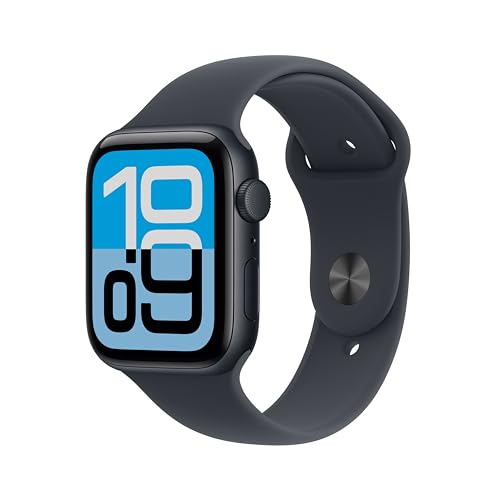
Apple Watch SE 3 (GPS, 44mm)
Fall detection, needs an iPhone
The cheaper Apple Watch with the same fall detection. Still needs a paired iPhone.
Check price on Amazon
These are supplies, not the job itself. Amazon does not sell the labour, the permit or the inspection.